Haletale 1.26.1 Release Notes
24th September 2026
New Improvements
Added pagination to Homeowner Report History.
Added the ability to assign an owner at the building level, which automatically applies to individual properties within the building.
Added a control for admins to manage in-app message notifications under My Staff → Notifications.
Tenant Move-Out Improvements
Added the requested move-out date to the application page so admins and landlords can clearly view both the current move-out date and the requested date.
Added the ability to remove recurring invoices and other related items when an admin approves a tenant move-out, consistent with an admin-initiated move-out.
Added the ability to click and preview image attachments:
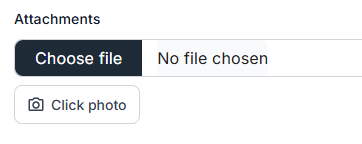
The ability to click and preview image attachments is now all across the areas such as Add Expense, Add Income, Create Invoice, Add Maintenance, Edit Maintenance, Documents, Inspections, and more.Inspection Report Improvements
Added buildings to the property list, when creating a new report and when filtering reports.
Removed the image size limit and added automatic image compression.
Fixed an issue where saving a report did not return the user to the Inspection page.
Fixed an issue where in-progress reports were displaying a PDF.
Added multi-select functionality to the Report filter.
Fixed property types displaying in lowercase with underscores under the selected property.
Fixed an issue where clicking Back after opening an inspection report redirected to All Properties.
Added a preview feature to the Guided Checklist.
Removed the Back and Finish buttons after completing the report.
Bug Fixes
Fixed an issue where the Rent Increase dashboard card displayed multiple rows for a single tenant.
Fixed an issue where deleting a bank account did not remove it as the default account.
Fixed an issue where the Rent Increase CSV export returned an empty or corrupted file.