Haletale 1.30.0 Release Notes
18th November 2026
New Improvements
Full Property Page
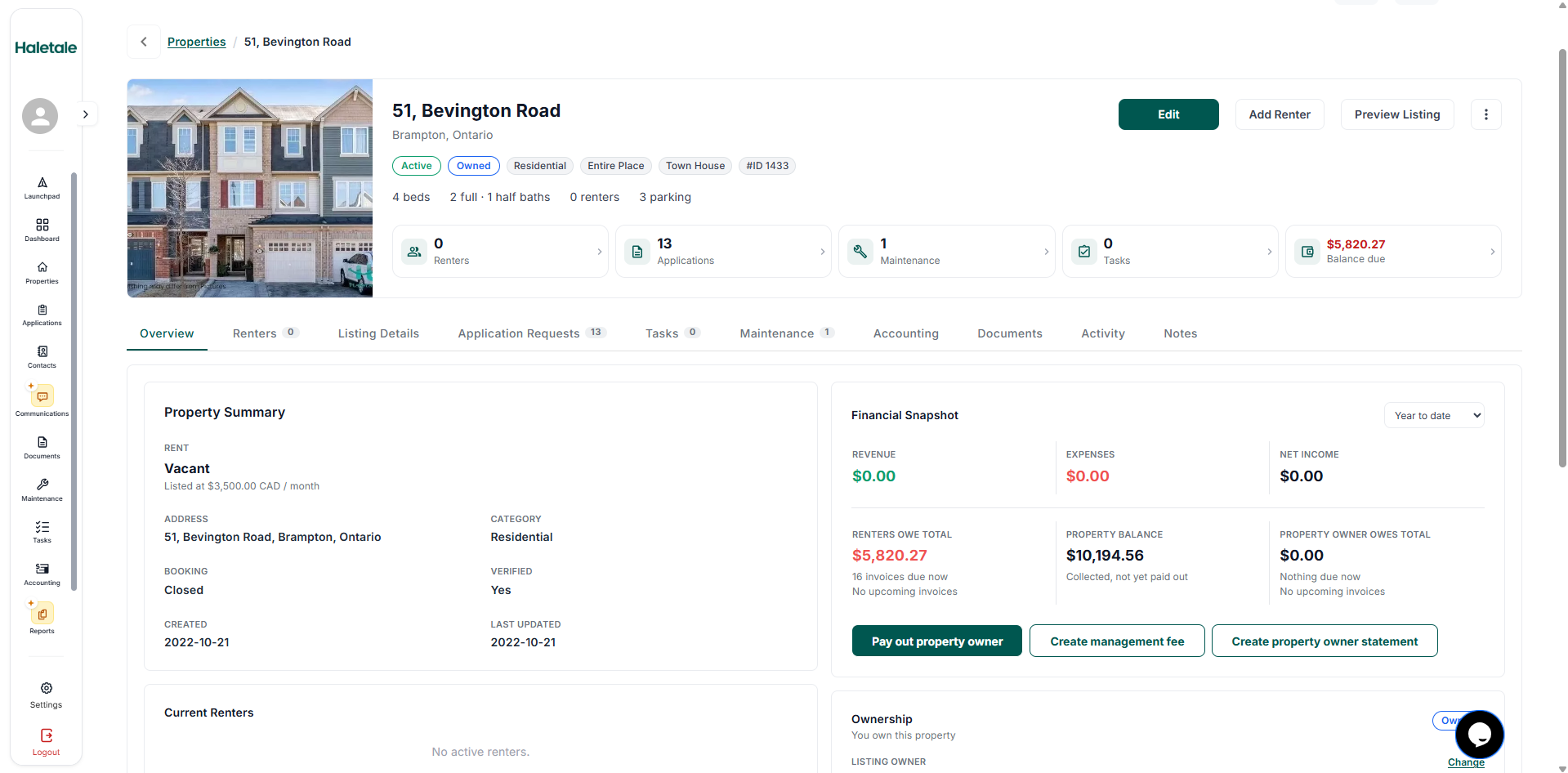
VIEW PROPERTY PAGE Introduced a new standalone property page, replacing the existing popup as the primary way to view property details.
Added dedicated tabs: Overview, Guests, Listing Details, Application Requests, Tasks, Maintenance, Accounting, Documents, Activity, and Notes.
Building Details:
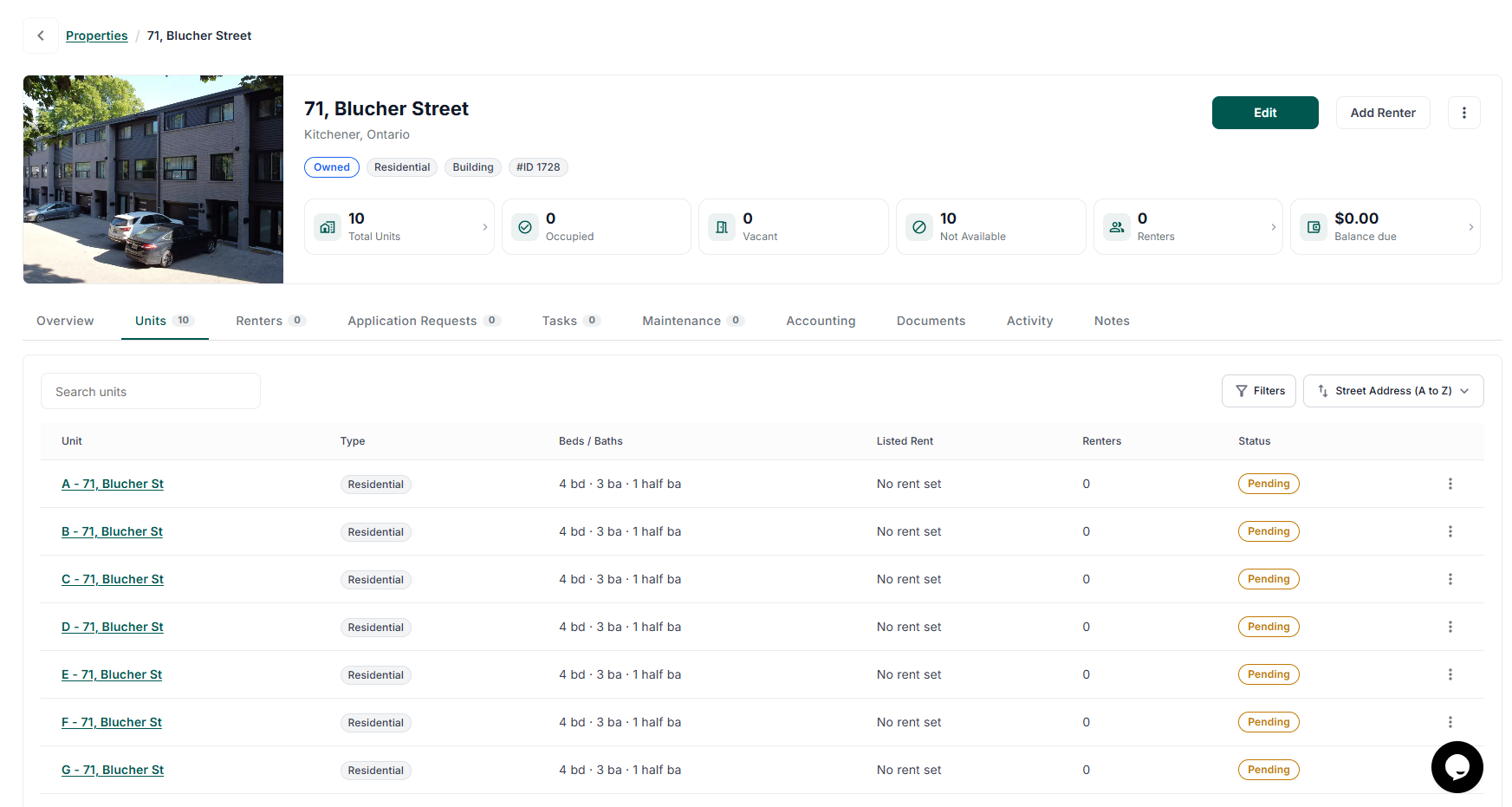
VIEW BUILDING PAGE Added a dedicated Units tab for buildings, along with unit statistics (Total, Occupied, Vacant, and Not Available).
Saved selected tabs and filters in the URL, allowing users to return to the same view when reopening a link.
Added header actions for Edit, Preview Listing, Add Tenant, and a three-dot menu with existing property actions.
Property Overview
Added a summary card displaying property details, Owned/Managed status, and clickable counts for applications, maintenance, tasks, and outstanding balances.
Introduced a Financial Snapshot displaying income, expenses, outstanding amounts, and owner payouts, with quick actions for payouts, management fees, and owner statements.
Added an Ownership card displaying Listing Owner and Assigned Investors, with options to update ownership details.
Added a Banking Details card for operating accounts, deposit accounts, and management fees, including setup, change, and confirmation before disconnecting accounts.
Added previews for notes, open items, and current guests.
Guests, Units & Applications
Added Current and Past guest views with tenant balances, filters, and row-level actions.
Introduced filters, sorting, and occupancy-based grouping in the Building Units tab.
Improved Application Requests with status filters (Active by default), co-applicant filtering, and accurate application counts.
Tasks & Maintenance
Added support for viewing one-time and recurring tasks with filters, row-level actions, and quick-add options.
Enabled opening individual tasks and maintenance requests while preserving the property page when navigating back.
Accounting
Introduced a property-specific ledger with running balance calculations.
Added date range filters for YTD, current month, current quarter, last 12 months, and All Time.
Added filters for category, review status, and amount.
Introduced a unified Add dropdown for Income, Bill, Expense, Journal Entry, and Invoice.
Added outstanding balance visibility and quick actions for owner payouts, management fees, owner statements, and transfers.
Documents, Activity & Notes
Expanded the Documents tab to include homeowner reports and inspection reports.
Added document sorting by type and additional filters.
Enhanced the Activity Log to track changes to deposit accounts, operating accounts, and management fees.
Introduced a Notes tab with options to add, edit, and delete notes, along with inline error handling.
Properties List View Improvements
Introduced a new filter panel
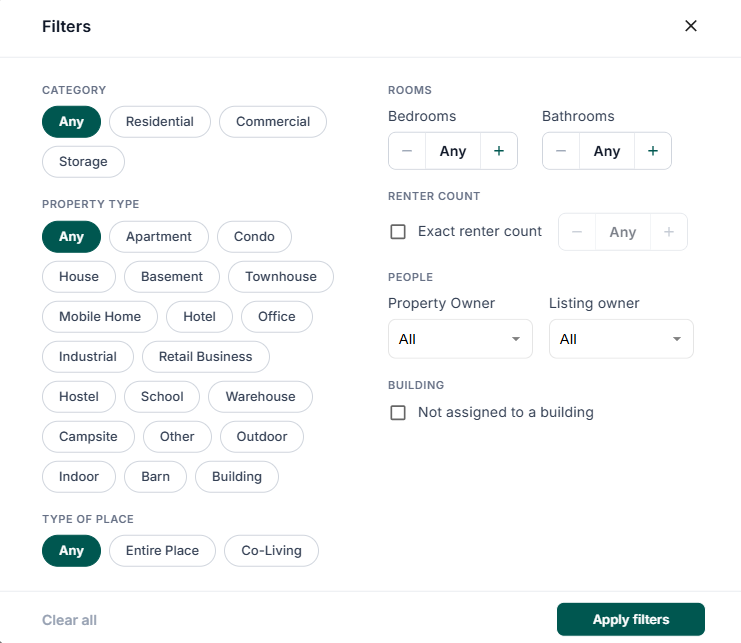
ALL PROPERTIES - FILTER PANNEL which filters the category, property type, status, bedrooms, and bathrooms, along with an active filter count.
Enabled building rows to expand and collapse
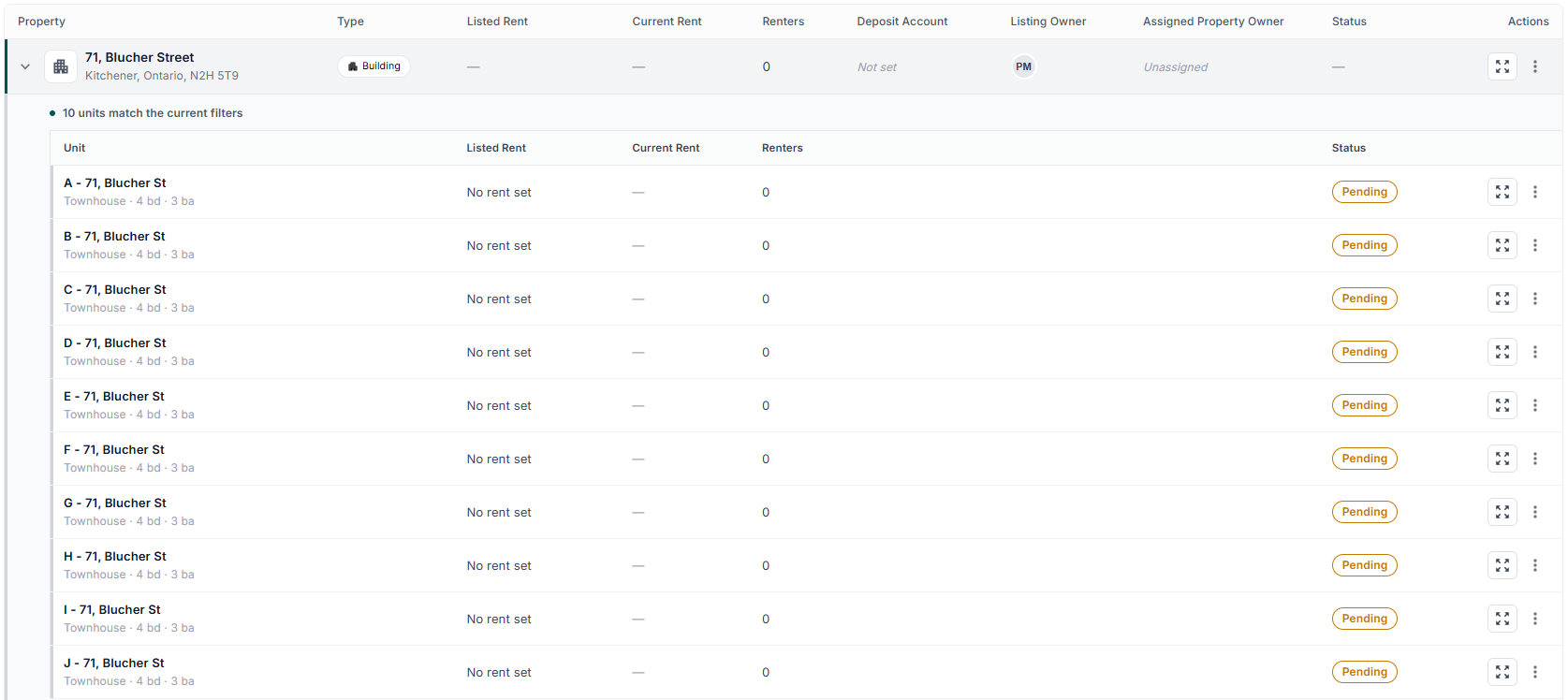
PROPERTY LIST VIEW which display their units, with filters matching individual units as well.
Added an Open Full Page action in both the properties list and the existing property popup.
Enabled middle-click to open properties in a new browser tab.
Updated the card grid view to display matching units under buildings.
Rent Payouts & Management Fees
Enabled opening Pay Out and Create Management Fee directly from a property, with the respective property preselected by default.
Added a Show All option to view and select other properties.
Access Control, Error Handling & Navigation
Introduced dedicated Not Found and No Access screens to distinguish inaccessible properties from deleted properties.
Added clear messages when maintenance requests are unavailable or unassigned.
Restricted contractor access to only the pages they are authorized to view.
Improved back navigation behaviour across pages.
General Improvements
Added loading skeletons that match table heights to prevent layout shifts while data is loading.